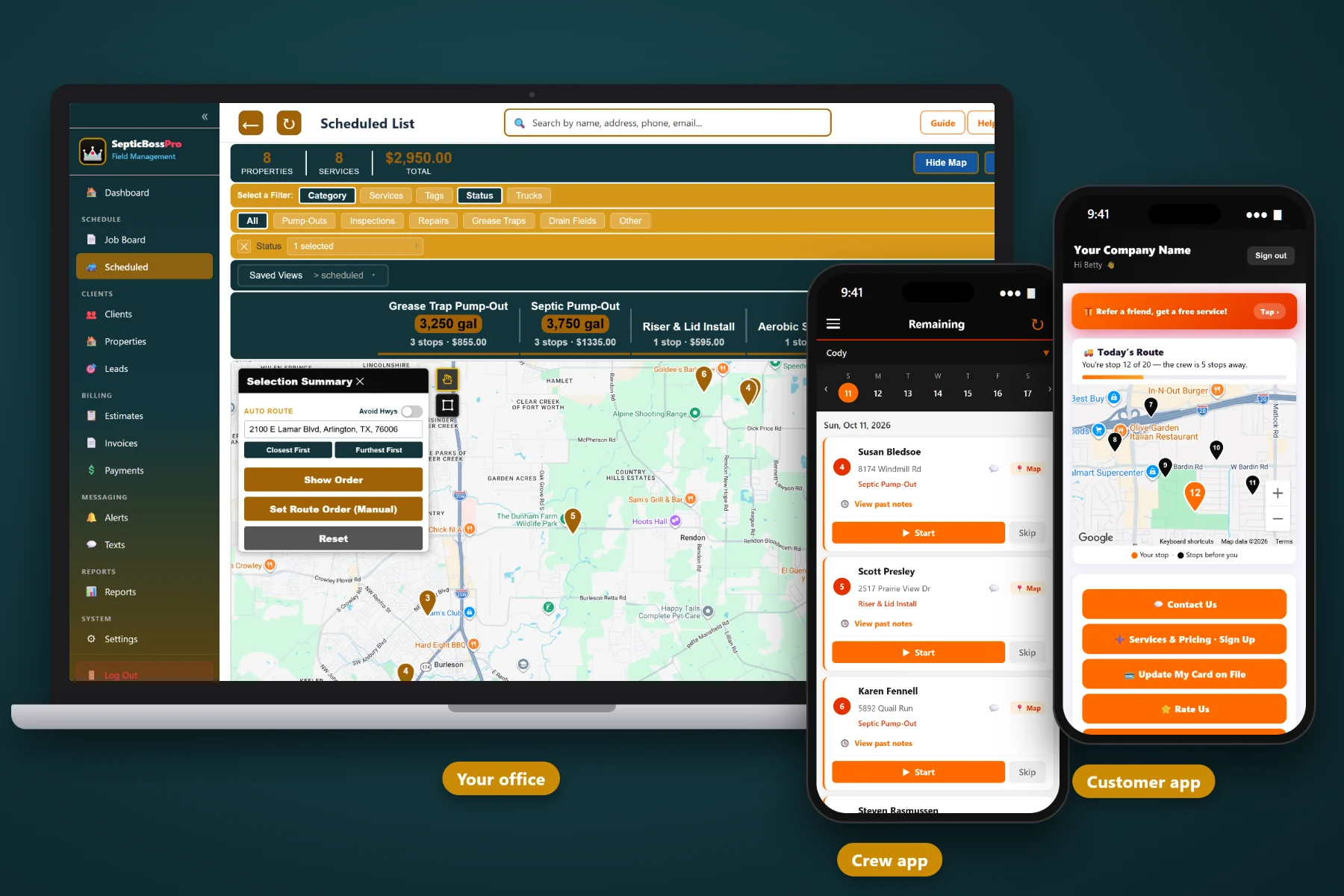
A septic inspection is only as good as what you leave behind: the photos, the notes, the findings, and the repair price the seller is waiting on. SepticBossPro keeps all of it tied to the property — tank size, lid depth, drain field size, and location notes — so you can book inspections fast, document them consistently, and turn findings into approved repair work.
Point-of-sale inspections, routine checks, and repair follow-ups all depend on the same thing: a complete record of the system that anyone in your company can find. SepticBossPro puts the property, the photos, the findings, the estimate, and the invoice in one place, at a flat monthly price that is never billed per user. New here? Start with Septic Inspection Software: The Complete Guide for Septic Inspection Businesses.
Tank size in gallons, lid depth in inches, drain field size, and tank location notes live on the property, so the record survives every sale and every new owner.
A dispatch board for the day and a waiting list for flexible work let you fit a closing-deadline inspection without wrecking the rest of the week.
Inspectors take photos, add notes, and mark jobs complete in the crew app, with GPS. Findings land on the job while the inspector is still standing over the tank.
Turn a missing baffle or a damaged lid into a priced repair estimate the seller can approve online, then schedule it under Repairs.
Automated texts and emails confirm inspection appointments and let customers know when work is done, so the office answers fewer status calls.
Attach completed forms, old drawings, and paperwork to the property and job so records are ready for buyers, lenders, and counties that ask.
The slowest part of most inspections is finding and opening the tank. SepticBossPro stores the system details on every property, so a returning inspector walks straight to the lid instead of probing the whole yard. Every visit makes the record better.
Inspection companies do not have time for a months-long rollout. SepticBossPro is built around the way septic work actually flows: property, schedule, inspection, findings, estimate, invoice.
Add customers and properties with tank size, lid depth, drain field size, and location notes. Start with your active customers and fill in the rest as you visit.
The dispatch board shows each crew’s day, and the waiting list holds flexible work you can move to make room for a real estate deadline.
Inspectors see the job notes, take photos, add notes, and mark jobs complete in the crew app. No clipboards, no camera rolls to chase.
Send repair estimates with online approval, invoice the right party, and keep card on file for customers who want payments handled automatically.
A septic inspection is not a time slot. It is a buried system, a deadline, a set of photos, and a group of people waiting on the answer.
A real estate septic inspection pulls in a seller, a buyer, two agents, and sometimes a lender. The inspector's photos sit in a personal phone. The tank location lives in one veteran's memory. The repair estimate waits on phone tag while the option period runs out.
General field service tools do not know what a lid depth is, where a drain field goes, or why a point-of-sale inspection needs a repair price the same week.
SepticBossPro is built for septic companies, with job categories for Pump-Outs, Inspections, Repairs, Installs, Grease Traps, and Drain Fields, and a property record designed around the system in the ground.
Everything an inspection-focused septic company needs, from the first call with an agent to the final invoice.
Tank size (gal), lid depth (in), drain field size, and tank location notes on every property, alongside photos, notes, and documents from past visits.
See every inspector’s day in one view and fit time-sensitive real estate inspections where they make the most sense.
Hold flexible work like routine inspections and non-urgent pump-outs, then pull it onto the schedule whenever a slot opens.
Set routine inspections and pump-outs as recurring jobs so the next visit lands on the schedule without anyone remembering to call.
Pump-Outs, Inspections, Repairs, Installs, Grease Traps, and Drain Fields keep inspection work distinct from everything else you do.
Inspectors see their jobs, take photos, add notes, and mark jobs complete from the field, with GPS so the office knows where crews are.
Photos are attached to the job and property as they are taken, not stuck in a personal camera roll.
Turn inspection findings into repair estimates customers can approve online, so repairs get scheduled while the contract is still open.
Appointment confirmations and completion notices go out automatically, cutting down on status calls and no-access trips.
Invoice the right party for every inspection, pump-out, or repair, tied to the job and property.
Keep a card on file for customers and accounts that want payments handled automatically.
Attach completed forms, drawings, and paperwork to the property and job so they are ready when buyers, lenders, or counties ask.
Review inspection volume, repair work, and revenue by job category to see how the business is really doing.
Add inspectors and office staff without adding per-seat charges. Plans are priced per company, not per person.
Real estate inspections arrive with a clock already running. The dispatch board shows where every inspector is working, and the waiting list holds the flexible jobs you can move to make room. Confirm a time on the first call, and let automated texts and emails handle the confirmation. For the full walkthrough, read Septic Inspection Software: The Complete Guide for Septic Inspection Businesses.
Your inspector documents the baffles, liquid level, risers, and drain field area in the crew app, with notes beside every photo. The office builds the repair estimate from those findings and sends it for online approval. Approved work goes straight onto the schedule under Repairs or Drain Fields.
Pick the plan that fits your company today and move up as you grow. Adding an inspector never adds a per-seat charge.
14-day free trial · No credit card required · Never billed per user. Compare plans.
Yes. SepticBossPro is built for septic companies, with job categories for Pump-Outs, Inspections, Repairs, Installs, Grease Traps, and Drain Fields, and property records that store tank size, lid depth, drain field size, and tank location notes.
Yes. The crew mobile app lets inspectors take photos, add notes, and mark jobs complete, with GPS. Photos and notes are attached to the job and stay with the property.
No. SepticBossPro keeps your records, photos, notes, and documents attached to the property and job. If your jurisdiction uses a specific form, attach the completed form to the job as a document.
Use the dispatch board to see each crew’s day and the waiting list to hold flexible work. When a closing-deadline inspection comes in, move a flexible job back to the waiting list and give the slot to the inspection.
Yes. Build an estimate from the inspector’s findings and send it with online approval. Approved work can be scheduled under Repairs or Drain Fields.
Start is $59/month, Pro is $89/month, and Crew is $199/month. Plans are never billed per user, and every plan starts with a 14-day free trial with no credit card required.
SepticBossPro runs your whole septic operation — inspections, pump-outs, repairs, crews, and billing — from one platform. See the full platform overview.
Book faster, document every inspection the same way, and turn findings into approved repairs. Try SepticBossPro free for 14 days.