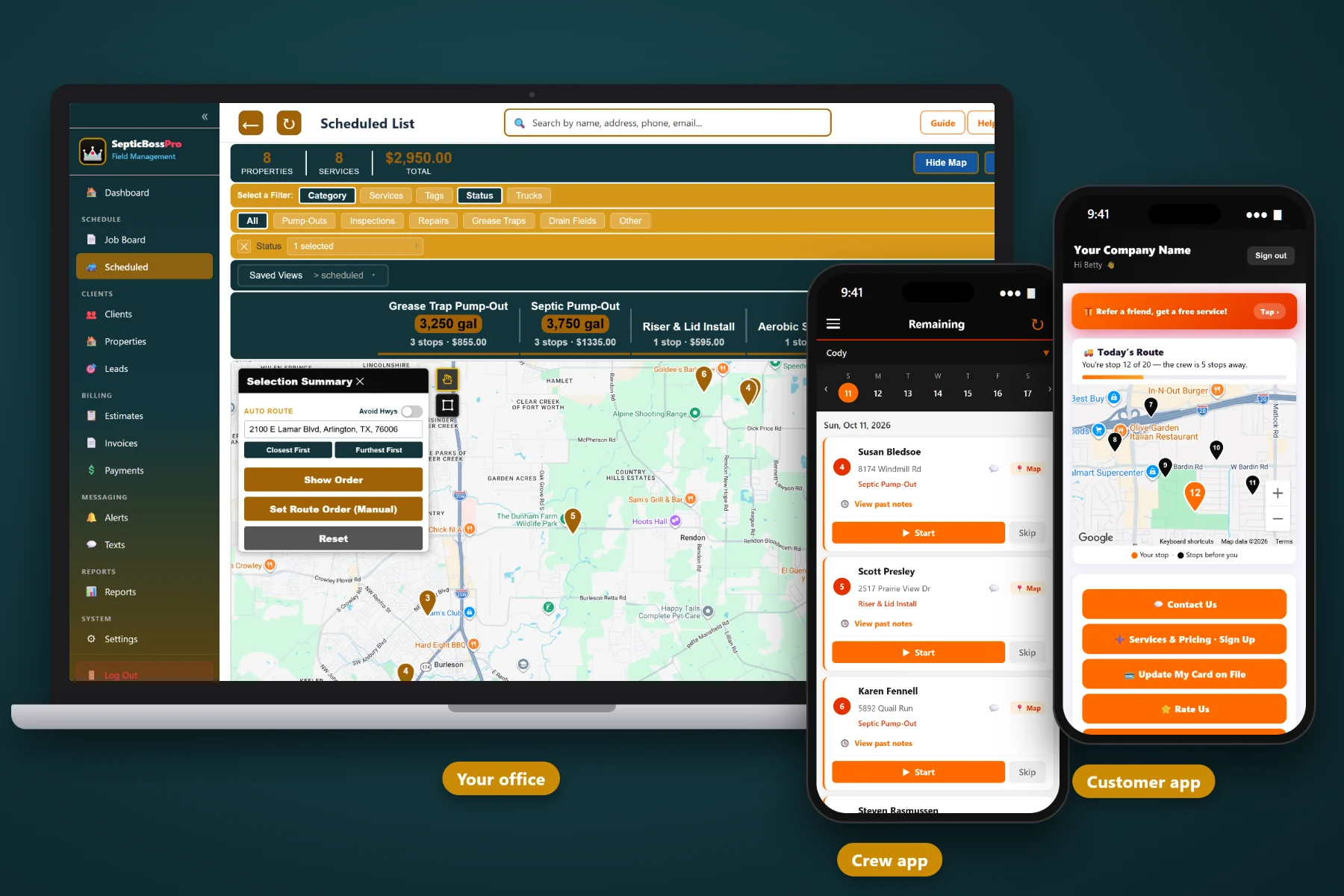
Grease trap work is not a one-off service call. It is hundreds of commercial kitchens on their own pump intervals, stops that can only happen after close, owners and inspectors who want proof of service, and restaurant groups that want one invoice for every location. SepticBossPro runs all of it from one place.
Plans start at $59 a month, and you are never billed per user. That price covers the things a grease trap company actually runs on: recurring pump intervals, night routes, field photos, commercial accounts with many locations, and billing that gets restaurants to pay. No per-seat fees for every driver you put on a night truck.
See every grease stop on the map, group restaurants along the same commercial corridor, and assign each night's run to a specific truck so drivers are not crisscrossing town after close.
Put every trap and interceptor on its own recurring job. A busy fryer kitchen and a quiet cafe each stay on the interval you set, and the next service keeps coming back without anyone retyping it.
Give the kitchen a heads-up before the truck arrives and let the owner know the service is complete. For after-hours stops, that message is waiting when the manager opens in the morning.
Monthly roll-up invoices for restaurant groups, card on file and auto-billing for independent kitchens, and invoices built straight from completed jobs, so nothing gets retyped.
Every pump-out leaves a dated record on the property with the tech's notes and photos, plus any documents you keep on the account. Answer an owner or inspector in under a minute.
Drivers see their stops, read access notes, take before and after photos, add notes and mark the job complete with GPS, all from the truck without calling the office.
Restaurants want the vac truck in the lot after the last ticket is out, not during the dinner rush. SepticBossPro lets you build after-hours grease routes as their own runs: stops grouped on the route map, ordered around close times, assigned to the night truck, with access notes for every kitchen in the driver's hand.
Grease trap work happens in dark back lots, under sinks and behind dumpster enclosures. The software has to be simple for the driver and clear for the office, or nobody uses it.
Add each customer once and each location as its own property, with the trap or interceptor details, lid locations, access instructions and kitchen contacts in the notes.
Put every trap on a recurring job at the interval its kitchen needs. Due work shows up on the schedule, and anything not yet placed sits on the waiting list where it stays visible.
The crew mobile app shows the night's stops in order with the notes for each kitchen. Take photos, add notes, mark it complete. That is the whole workflow.
Invoices come from completed jobs. Roll them up monthly for restaurant groups, or charge the card on file automatically for independent kitchens.
Most field service apps assume one customer, one address and one call at a time. Grease trap service is the opposite: the same kitchens again and again, on intervals that differ by kitchen, often after hours, for owners who may have a dozen locations.
When grease accounts live in a spreadsheet and a driver's memory, the failure is always the same: an interval slips, a kitchen backs up on a Friday night, and the owner calls somebody else. Or the night driver cannot get in because the access note was never written down. Or the restaurant group gets nine separate invoices and pays none of them on time.
SepticBossPro keeps every trap on its own recurring job, every location under the right customer, and every visit backed by notes and photos. New to running grease work in software? Start with Grease Trap Service Software: The Complete Guide for Pumping Companies.
It is the same platform septic companies use for pump-outs, inspections and repairs, so if you run both residential septic and commercial grease, it all lives in one account, separated by job category.
Everything a grease trap pumping company needs to keep restaurants on schedule, prove the work was done and get paid.
Set each trap or interceptor on the interval its kitchen needs. Change the interval once and every future visit follows.
One customer record for the restaurant group, franchise owner or property manager, with every location as its own property, trap details, interval and history.
Access instructions, lid locations, key and lockbox details, after-hours contacts and hazards, right where the driver needs them.
Due work that is not yet placed stays visible on the waiting list, so a busy month never hides an account sliding past its interval.
See every truck's night at a glance, fill cancellations, rebalance overloaded routes and fit emergency backup calls in without losing scheduled work.
Plot stops on the map, group restaurants along the same corridor and assign each route to a truck.
Keep grease work separate from residential septic pumping on the board and in your reports.
Stop list, property notes, photos, field notes, GPS and mark complete, built for drivers working at night.
Before and after photos taken in the app attach to the job and stay with the property history.
Dated service records with notes and photos on every property, plus documents kept on the account for owners and inspectors who ask.
Heads-up messages before the visit and completion messages after, sent automatically to the right contact.
Quote the price and the interval, and let the owner approve from their phone between lunch and dinner service.
One invoice per month covering every pump-out at every location, with each site listed for the owner's records.
Charge independent restaurants automatically after the job is complete. No checks, no chasing.
Completed grease work, revenue by customer, unpaid invoices and work by truck, so you know whether the route is healthy.
Add every night driver, dispatcher and office person without your software bill going up.
A burger kitchen with three fryers and a coffee shop with a sandwich counter do not fill their traps at the same rate. SepticBossPro holds a recurring job for each trap, puts due work on the schedule, and keeps anything not yet placed on the waiting list until it lands on a truck. Want the full walkthrough? Read Scheduling Recurring Grease Trap Pumping Intervals Without Missing an Account.
Commercial grease customers pay differently. A restaurant group wants one invoice covering every location. An independent owner wants to never think about your bill. SepticBossPro handles both, with every invoice built from completed jobs that carry their own dates, notes and photos.
Add every night driver, dispatcher and office person without your software bill growing with your headcount.
No credit card required to start. Never billed per user.
Yes. Grease Traps is one of the job categories, and the platform is built around what grease work needs: recurring jobs for each trap, multiple properties per customer for restaurant groups, route maps and trucks for night routes, a crew mobile app with photos and notes, and monthly roll-up invoicing.
Each property carries its own recurring job, so every trap or interceptor runs on its own interval. If a kitchen gets busier or slower, change the recurring job once and every future visit follows.
Yes. Schedule night stops to a specific truck and date, see them on the route map, and keep access instructions and after-hours contacts in the property notes so the driver can get in after close.
SepticBossPro does not generate jurisdiction-specific compliance forms. It keeps a dated service record on every property with the tech's notes and photos, and you can keep documents on the account, so you can answer an owner or inspector quickly.
Set the group up as one customer with each location as a property. Monthly roll-up invoicing combines the month's work across locations into one invoice, with each site listed. Independent restaurants can use card on file with auto-billing.
Start is $59/month, Pro is $89/month and Crew is $199/month. You are never billed per user, and every plan starts with a 14-day free trial with no credit card required.
Grease trap work is one part of what the platform does for pumping companies, alongside residential pump-outs, inspections and repairs. See the full SepticBossPro platform overview.
Practical articles on running commercial grease trap pumping: intervals, night routes, records, multi-location accounts, routing and billing.
Recurring intervals, night routes, photo-backed service records and commercial billing in one place. Try SepticBossPro free for 14 days.